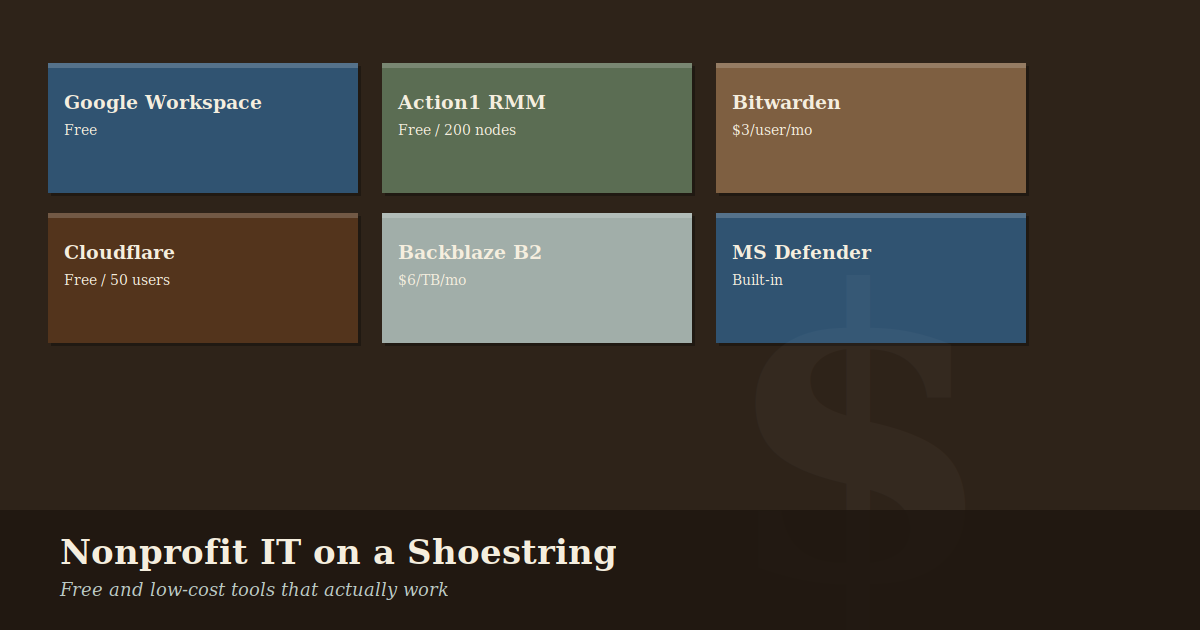
Nonprofit IT on a Shoestring: The Free and Low-Cost Tools That Actually Work
Nonprofit IT often means making serious tools work on serious constraints. The good news: the gap between what a well-funded organization can afford and what a scrappy nonprofit can piece together has never been smaller.
These are tools we actually use and recommend — not a sponsored list, just what works.
The Foundation: Google Workspace for Nonprofits
If you take one thing from this post, make it this: apply for Google for Nonprofits if you haven’t already. Qualifying 501(c)(3) organizations get Google Workspace Business Starter — email, Drive, Docs, Meet, Calendar — at no cost.
For most organizations under 25 people, this covers essentially your entire productivity stack. We’ve written a full explainer on what the program includes if you want the details.
Cost: Free
Endpoint Security: Malwarebytes or Microsoft Defender
Paid antivirus solutions marketed to businesses can run $40–60 per device per year. For most small nonprofits, Microsoft Defender (built into Windows 10/11) is genuinely good and costs nothing. Paired with proper patching habits and Google Workspace’s built-in email filtering, it handles the majority of threats you’ll realistically face.
If you want a managed solution with a central dashboard, Malwarebytes for Teams has nonprofit pricing worth asking about, and Bitdefender GravityZone offers one of the better value propositions in the managed AV space.
Cost: $0 (Defender) to ~$2–4/device/month for managed solutions
Remote Management: Action1
If you manage Windows devices across your organization — especially if staff work remotely — you need some way to push updates, run scripts, and troubleshoot without driving to someone’s house. Action1 offers free remote monitoring and management for up to 200 endpoints. That covers virtually any nonprofit.
It handles Windows patching, software deployment, remote desktop, and basic inventory. For a small IT team or a consultant managing nonprofit clients, it’s genuinely excellent.
Cost: Free up to 200 endpoints
Password Management: Bitwarden
Password reuse is one of the most common causes of account compromises. A password manager solves this — every account gets a unique, strong password that nobody has to remember.
Bitwarden is open source, audited, and has a free tier that works well for individuals. Their Teams plan runs about $3/user/month — far cheaper than the enterprise alternatives — and there’s a nonprofit discount available if you ask.
If you’re standardizing across an organization, Bitwarden’s admin console lets you share credentials securely between team members without anyone seeing the actual passwords.
Cost: Free (personal) / ~$3/user/month (teams)
DNS Filtering: Cloudflare Gateway
Blocking malicious websites at the DNS level — before a device even connects to them — is one of the most efficient security controls available. Cloudflare Gateway (part of Cloudflare Zero Trust) provides DNS filtering for up to 50 users at no cost.
It takes about 30 minutes to configure, blocks known malware and phishing domains automatically, and provides basic visibility into what your network is doing. For organizations with an office or staff connecting through a shared network, it’s an easy win.
Cost: Free up to 50 users
Backup: Backblaze B2 + Duplicati
Cloud backup doesn’t have to be expensive. Backblaze B2 storage costs $6 per terabyte per month — a fraction of AWS S3 or Google Cloud Storage. Paired with Duplicati, a free open-source backup client, you can set up automated encrypted backups of critical files for a few dollars a month.
For organizations that rely heavily on Google Drive, remember that Google Workspace doesn’t automatically protect you from accidental deletion or ransomware that syncs to Drive. A separate backup of critical data is worth the small cost.
Cost: ~$6/TB/month for storage, free software
IT Documentation: Notion or Google Sites
Documentation is the thing most small IT setups skip and later regret. Where are the passwords? What’s the WiFi network name? Who do you call when the internet goes down?
Notion has a generous free tier and works well for small IT wikis. If you’re already in Google Workspace, Google Sites is already available to you and requires no additional accounts. Neither is perfect, but either beats undocumented tribal knowledge.
Cost: Free
A Note on Stacking Nonprofit Discounts
Beyond Google, several major technology vendors have nonprofit programs worth knowing about:
- Microsoft — Donated Office 365 through TechSoup for qualifying organizations
- Zoom — Discounted plans for nonprofits
- Slack — 85% discount on paid plans for eligible nonprofits
- Asana, Monday.com — Both offer nonprofit discounts on project management tools
- TechSoup — The clearinghouse for nonprofit technology donations and discounts; if you haven’t explored it, start there
The total value of stacked nonprofit discounts can easily reach $10,000–20,000 per year for a mid-sized organization. It’s worth the time to apply.
Where to Spend When You Do Have Budget
If you do have some IT budget, the highest-return places to spend it for a small nonprofit are:
- Managed endpoint security — having someone responsible for patching and monitoring, not just software licenses
- Staff security training — phishing simulation and awareness training prevents more incidents than most technical controls
- A proper backup and recovery test — not just setting up backups, but verifying you can actually restore from them
Have questions about what makes sense for your organization’s specific situation? We’re happy to talk through it — no sales pitch, just honest advice.